Check it here, before you send it
Drop a Markdown file here, , or paste it below.
Nothing uploads. The file is rendered in your browser, and raw HTML inside it is shown as text rather than executed.
The feature list is the useful part
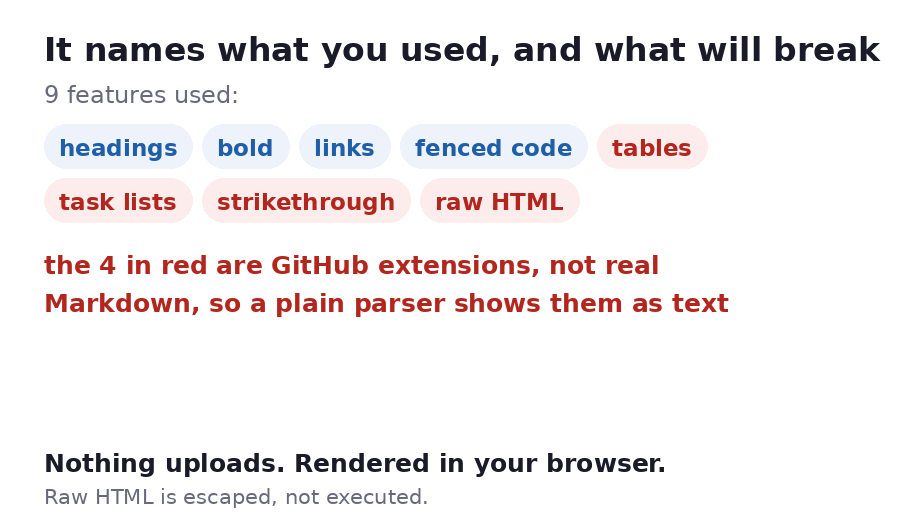
Press Load a sample using the tricky bits and the bar underneath reports something like:
release-notes.md · 9 features used:
headings  bold  links  fenced code  blockquote  bullet list
tables  task lists  strikethrough  raw HTML
with the last four in red, and a line saying they are GitHub extensions.
🔑 That distinction is the whole reason to look. Markdown is not one language. The original 2004 version has no tables, no task lists, no strikethrough and no footnotes. GitHub added those, most tools copied GitHub, and some did not. So a file that looks perfect in your editor can arrive as this:
| You wrote | A plain Markdown parser shows |
|---|---|
| a table with pipes | the pipes, as literal text |
- [ ] a task |
a bullet containing [ ] |
~~struck out~~ |
the tildes, visible |
[^1] footnote |
the brackets, unlinked |
If the file only ever goes to GitHub or a modern editor, none of this matters. If it is going into a CMS, an email, or someone else's documentation tool, it matters a lot, and this is the cheapest way to find out before you send it.
Where a .md file actually goes wrong
Markdown is the format people assume is safe to send anywhere, and it mostly is. The failures are narrow and predictable:
A file written for GitHub, opened somewhere else. This is the big one, and it is what the feature list is for. Four of the things everybody uses were invented by GitHub.
Indentation instead of fences. Four leading spaces also marks a code block in original Markdown. Mix that with a nested list and the list swallows the code, or the code swallows the list, depending on the parser.
A bare URL. https://example.com on its own becomes a link in GitHub and stays plain
text in original Markdown. Wrap it in angle brackets or make it a proper link.
Line breaks. A single newline is not a line break in Markdown; it is a space. Two trailing spaces or a blank line is what actually breaks a line, which is why an address block collapses into one line when you paste it somewhere.
What it renders
Headings, bold, italic, strikethrough, inline and fenced code, links, images, blockquotes, bullet and numbered lists, task lists with real checkboxes, tables with alignment rows, and thematic breaks.
Links open in a new tab and carry nofollow noopener. Images load only from https URLs.
Both of those are because the file might not be yours.
What this will not do
It will not run raw HTML. Markdown permits it, and this viewer escapes it instead, so a
<div> in your source appears as text. That is the safe choice for a file you did not write,
and it is the one place this is deliberately stricter than GitHub.
It will not resolve relative image paths.  has no folder around it here,
so it shows as the alt text instead of a broken image.
It will not support footnote definitions, reference style links or nested lists beyond the first level. It reports footnotes as used so you know they are there, and then does not render them.
| Limit | Value |
|---|---|
| Characters read in this viewer | 400,000 |
| One uploaded file | 150MB |
| Free storage | 1GB |