


Everything you can do
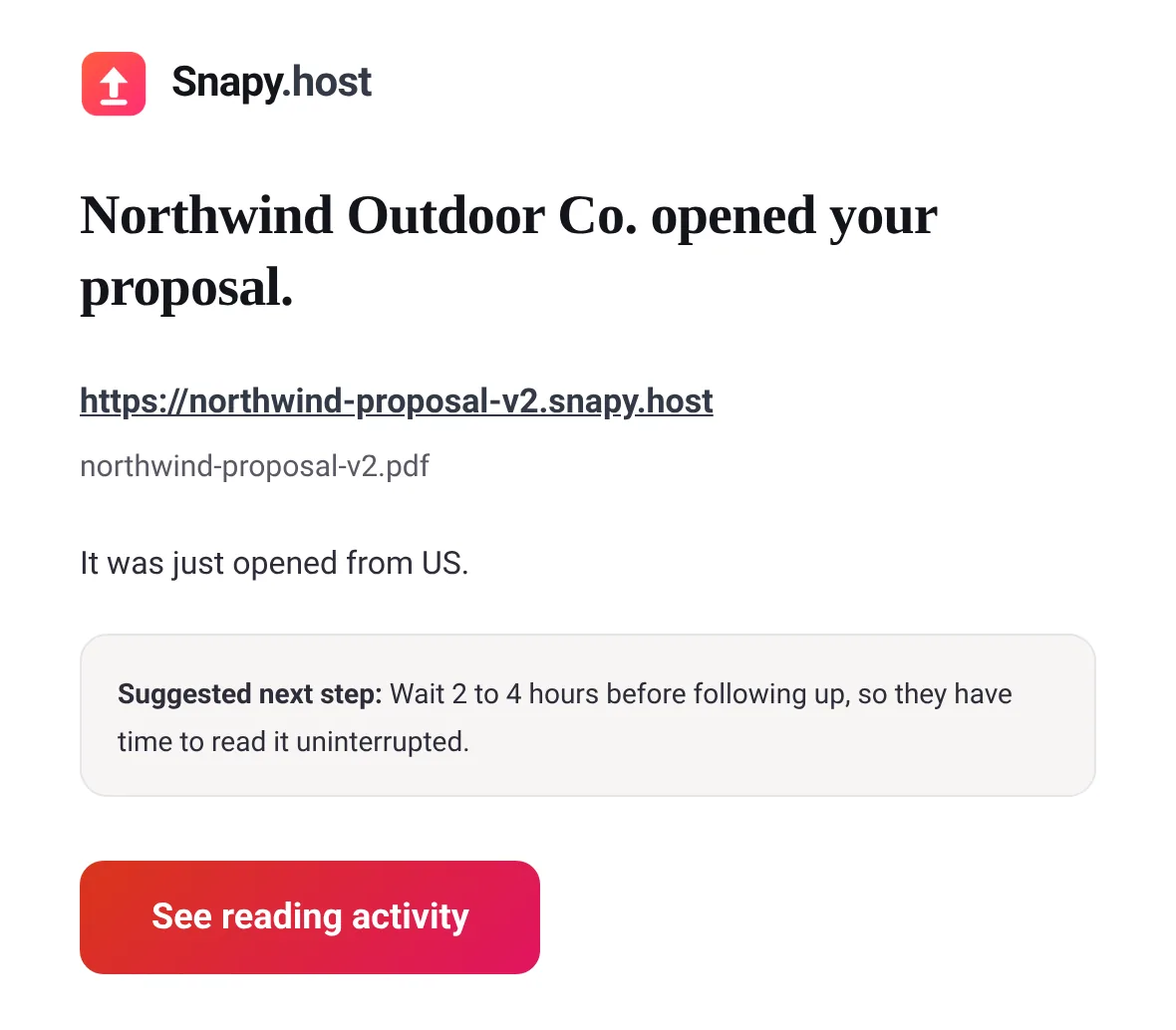
- Get an email the first time it is opened
- One link and QR code that stay the same forever, up to 400 files in a bundle
- Add a "Book a meeting" or WhatsApp button
- Password protect it or set it to expire
- See who opened it, verified by an emailed code Pro
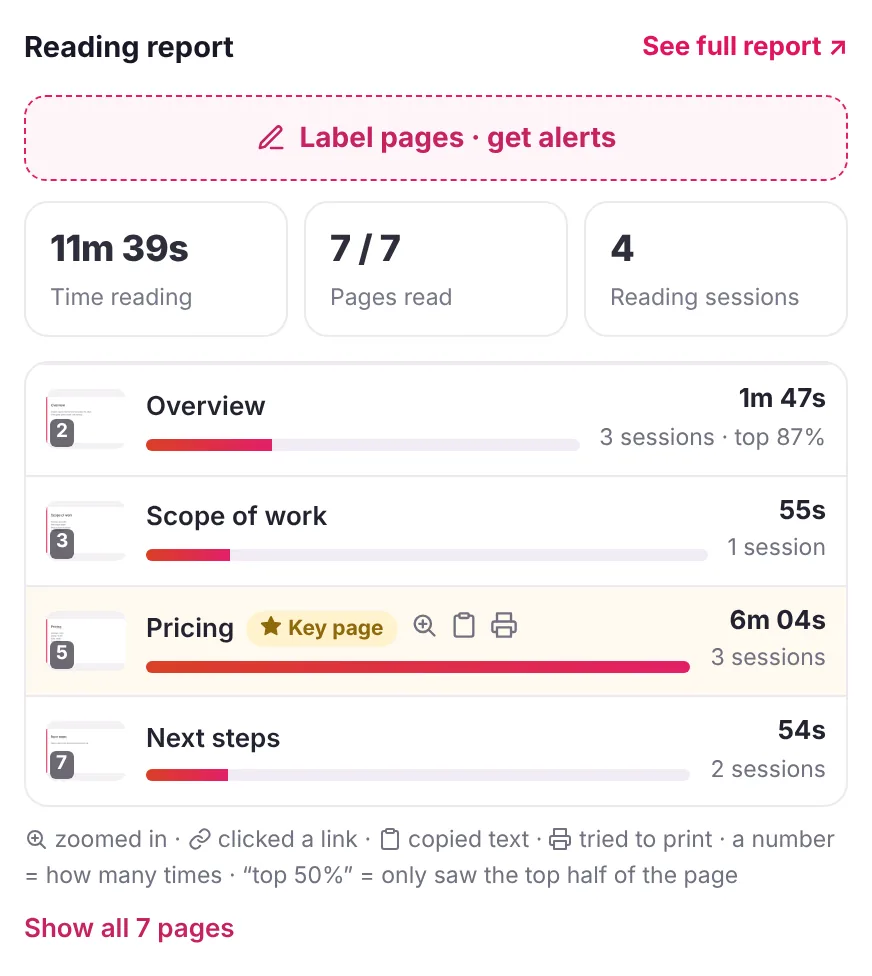
- Time spent on each page, for PDFs Pro
- Get an email on every open, or a daily summary Pro
- Replace the file behind the same link, anytime Pro
Everything unmarked is free on one live link. Snapy Pro adds the four marked, and unlimited links.
What is document tracking?
Document tracking is sending a file as a link instead of an attachment, so you can see what happens after you send it: whether it was opened, when, roughly where, for how long, and whether it was downloaded. An attachment cannot report anything once it leaves your outbox. A link can, because every reader has to load the document from the place it is stored.
How does document tracking work?
In plain words: the file stays on a server, and the link you send opens a viewer page.
- Opening the link is the open. The server logs the time, the country (looked up from the network address, which Snapy does not store) and the referrer, meaning the site or app the link was clicked from.
- The viewer reports reading. While a PDF is open in the browser viewer, it notes which page is on screen and for how long, and sends that back in small pings.
- Downloads are counted on their own. Saving the file is a separate event from reading it.
- Noise is filtered. Snapy ignores your own opens, opens from known email-security and cloud networks, and known bots, so a mail scanner checking the link does not look like a reader.
Can you track if someone read your PDF?
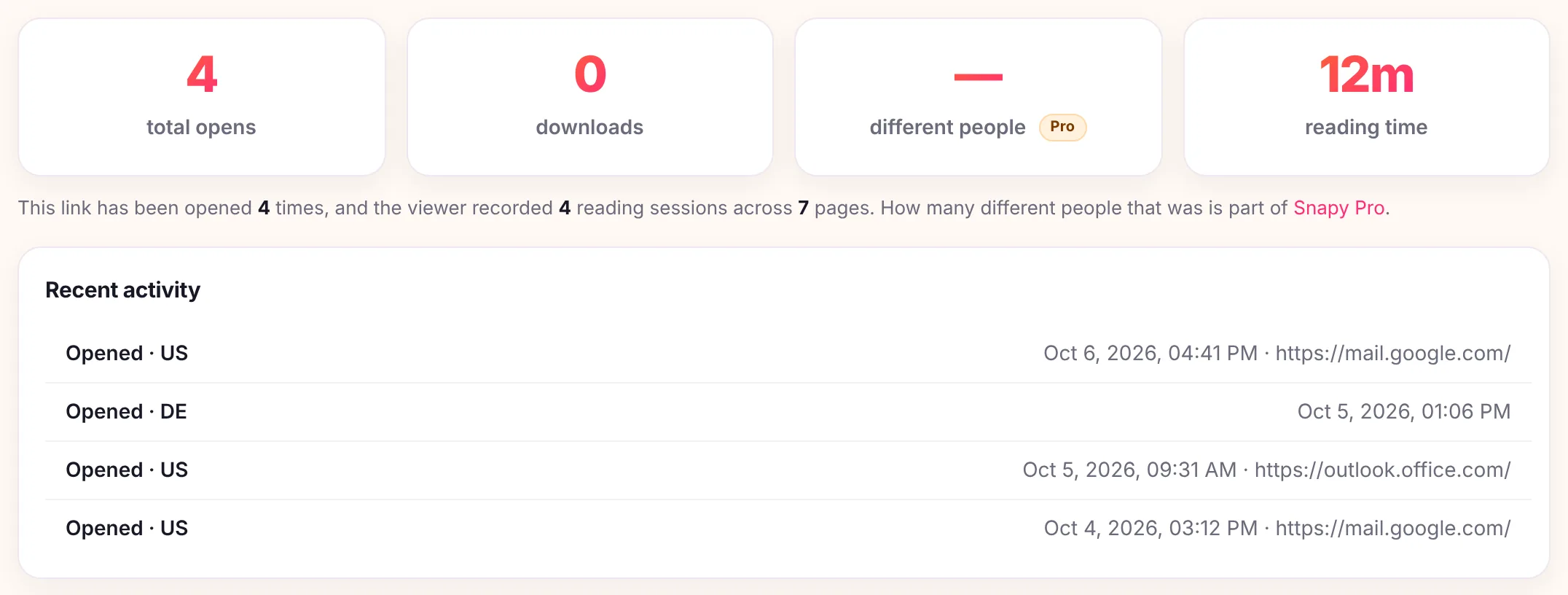
Yes. Upload the PDF and share the link instead of attaching the file. Every open is logged free, with the time, country, and referrer, counted separately from downloads, plus one reading-time total for the document and a free email alert the first time it is opened. Snapy Pro adds two things the free plan does not: who opened it by name, and the time spent on each page.
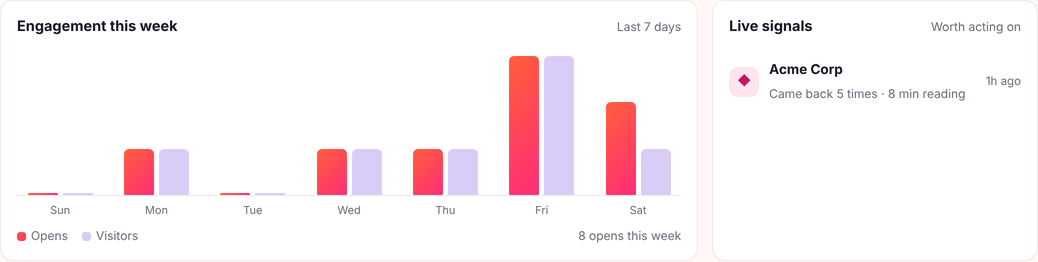
Email an attachment and it disappears into a black hole. Snapy.host turns a PDF, slide deck, image, or web page into a tracked link instead, and the person you send it to never needs an account to read it.
What free tracking actually shows
| What you get | Free | Snapy Pro |
|---|---|---|
| Opens, with country and referrer | Yes | Yes |
| Downloads, counted separately | Yes | Yes |
| Total reading time for the document | Yes | Yes |
| Opens-over-time chart (7 to 90 days) | Yes | Yes |
| Email alert the first time it opens | Yes | Yes |
| Email alert on every open, or daily | No | Yes |
| Time spent on each page (PDFs) | No | Yes |
| Who opened it, verified by email | No | Yes |
| Live links at once | 1 | Unlimited |
| Storage | 1GB | 50GB |
What document tracking can and cannot see
It can see: each open with its time, country and referrer; repeat opens, so you know when it was looked at again (Snapy Pro counts how many different people that was); total reading time; downloads; and, for a PDF on Snapy Pro, the time on each page number.
It cannot see:
- Who forwarded it. A forwarded link is opened by someone new, and that open looks like any other. Without the email gate (Snapy Pro) you see that it was opened, not by whom.
- Every scanner. Known security networks are filtered, but a company scanning links from its own network can still produce an open nobody read.
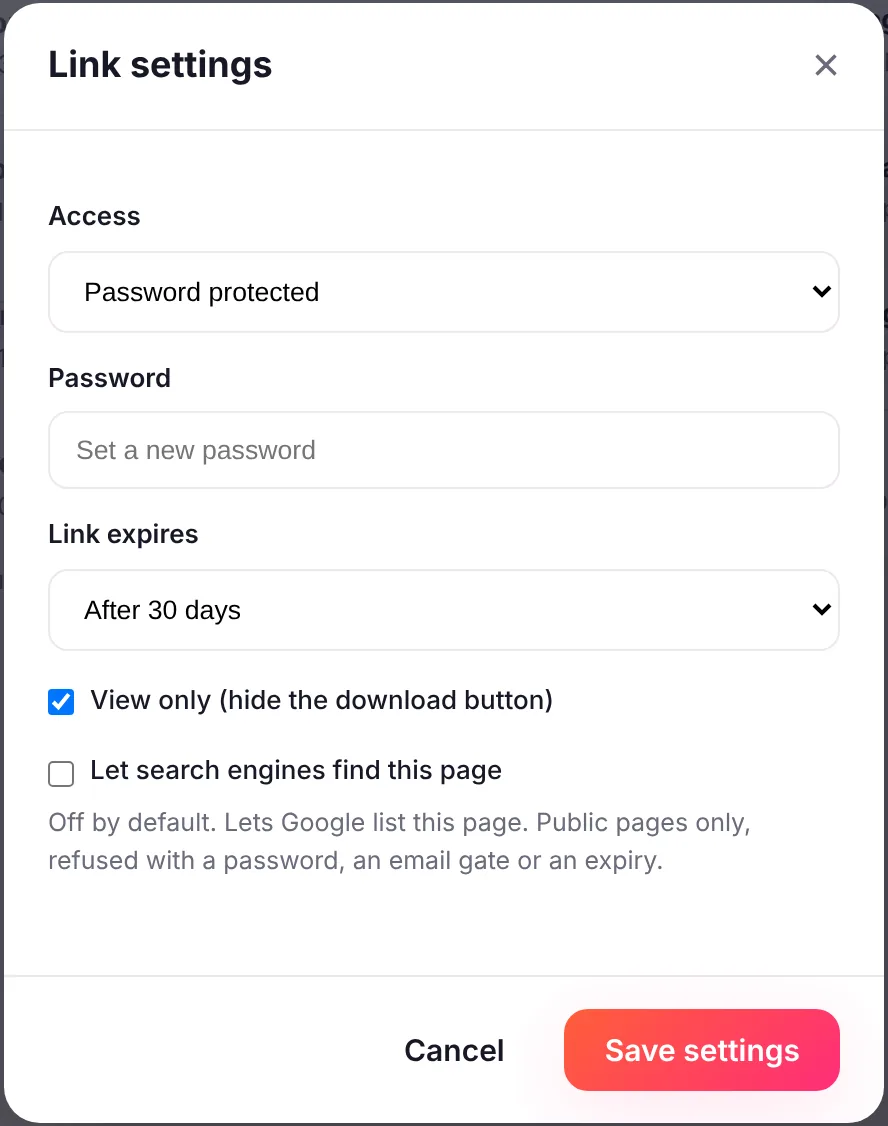
- Inside a downloaded copy. Once the file is saved to a device, opening that copy is invisible. That is why new PDF and Office links start view-only.
- Page-by-page reading for Word, PowerPoint or images. Per-page time is recorded for a PDF opened in the browser viewer only. Upload a PDF if that matters.
- Attention. A tab left open is not someone reading. Snapy stops counting reading time when the page sits idle, but time is still a signal, not proof.
Before anyone can download it, and before you even upload
A new PDF or Office link starts view-only: a reader can open and read it, but the download button stays off until you turn it on per link, after which downloads count like any other open. Images, pages, and zipped bundles are unaffected. On the sending side, getting a link needs no account: the first time you upload while signed out, Snapy emails a one-time code to confirm the address, which keeps the upload free of spam rather than gating it behind a login. A verified address skips the code next time. The person opening the link afterward needs none of this.
Can you get an email the moment it is opened?
Yes, free, on the first open. Snapy Pro changes the frequency, not the feature: every open, one email per visitor, or a daily summary. Both are throttled so a viewer flipping through pages cannot flood your inbox, and every open is still recorded on your analytics page regardless of which alert mode is on.
How to know if someone opened your email
There is no reliable way to know if an email was opened. Read receipts can be refused, tracking pixels can be blocked, and Apple Mail hides opens on purpose. What can be known is whether a document linked from the email was opened.
- Read receipts. Outlook can request one, but "the message recipient can decline to send read receipts" and "there is no way to force a recipient to send a read receipt" (Microsoft Support). In Gmail, read receipts "are only available to work or school accounts" and do not work with personal @gmail.com accounts (Gmail Help).
- Tracking pixels. Many email tools add a tiny invisible image to each message and count an open when the reader's mail app loads it. Blocking images blocks the count.
- Apple Mail Privacy Protection. Apple says it "prevents senders from seeing if you've opened the email message they sent you" (Apple Support). For anyone reading in Apple Mail with it on, a pixel count says nothing true about whether they read the message.
Apple's same page notes that the protection "does not extend to links". So put the proposal, quote or report behind a link instead of attaching it. Opening the link loads the document itself, which is the open that matters, and Snapy.host records it with the time and country and emails the sender on the first open, free.
How do you track a document?
- Drop your file in the box above (PDF, deck, image, page, or zip), up to 150MB.
- If you are not signed in, confirm the one-time code emailed to you. That happens once.
- Copy the link and send it however you like, in an email or a chat.
- Open the private analytics link (saved when you upload) to watch opens, downloads, and reading time roll in.
Who uses document tracking?
- Sales and proposals. See the moment a prospect opens a pitch or quote, and follow up while you are still top of mind. See document tracking for sales teams.
- Recruiting and hiring. Know an offer letter or candidate pack was read before you chase a reply.
- Real estate. Send a brochure or listing pack and see which buyers actually opened it.
- Freelancers and agencies. See what each client engaged with in a deliverable or report. See share documents with clients.
- Founders. Send an investor deck and see who came back for a second look.
Ways to track a document, compared
Prices read from each company's own pricing page on 7 October 2026, in US dollars.
| Approach | What it tells you | Cost |
|---|---|---|
| Email read receipt | That the message was opened, if the reader agrees to send one | Built into Outlook; Gmail only on work or school accounts |
| Google Drive or Docs | Activity dashboard names viewers of Docs, Sheets and Slides, for people in your own work or school domain | Included with Google Workspace; not for a PDF sent to a client |
| DocSend | Opens, visits per person, page-level analytics, data rooms on higher plans | From $15 a user a month, or $10 billed yearly; no free plan (details) |
| PandaDoc | Tracking and notifications on documents you create and send for signature | Free for 5 documents a month; Starter $35 a seat a month, or $19 billed yearly |
| Papermark | Page-by-page analytics on shared links; data rooms on higher plans | Free for 50 links and 50 documents; Pro $35 a month, or $29 billed yearly |
| Snapy | Opens, country, referrer, downloads, total reading time, first-open email | Free on one live link; Pro $9 a month adds names, per-page time and every-open alerts |
Pick by the job. Data rooms and NDAs: DocSend or Papermark. Signatures and quotes: PandaDoc. Knowing that the one PDF you sent was opened, and when to follow up: a tracked link, such as turning a PDF into a link. If you are weighing DocSend specifically, see the DocSend alternative comparison.
What document tracking will not do
It will not name a reader unless the email gate is on, which is Snapy Pro, and even then the email is tied to opens, not to which pages that person read. It will not show page-by-page time for a Word or PowerPoint file, only for a PDF opened in the browser viewer. It will not alert on every open for free; free gets one alert, on the first open. And it will not accept video today, so a tracked walkthrough has to be a PDF or a deck instead.
See the per-page breakdown worked through in detail at which pages someone read. A few more ways people use this: turn a PDF into a link, share an image as a link, share a document securely, or use it as a free DocSend alternative.