What happens to your file when you upload it?
- Drag your
.htmlfile into the box above, or a.zipof the whole site. - Name the link if you want one.
launchgives youlaunch.snapy.page. - Type the code that arrives by email. That happens once per address, not per file.
- The page is live. Send the link anywhere; whoever opens it needs nothing installed.
A single HTML file is stored as index.html, so it loads at the root of the link rather
than at some path you have to remember.
What are the limits?
| Free | Pro | |
|---|---|---|
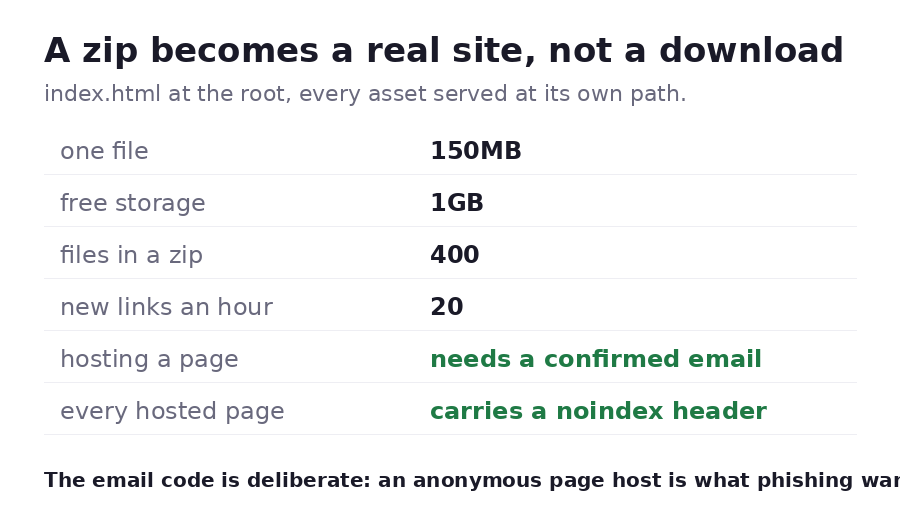
| One file, up to | 150MB | 150MB |
| A zip, up to | 400 files / 150MB unzipped | 400 files / 150MB unzipped |
| Live links at a time | 1 | Unlimited |
| Storage | 1 GB | 50 GB |
| Custom link name, password, expiry, QR code | Yes | Yes |
| Your own domain | No | Yes |
Uploads are also capped at 20 an hour and 100 a day per device, which is an anti-abuse limit rather than a plan limit.
Can you upload a zip as a whole site?
Upload a zip and each file is unpacked to its own path, so index.html, style.css,
app.js and /img/logo.png all sit where your HTML expects them. Two details worth
knowing:
- A single wrapping folder is stripped. Zipping a folder usually produces
mysite/index.html. Snapy notices that everything sits under one directory and removes it, so the site is not served one level down. - Clean URLs work. A request for
/aboutis answered with/about/index.htmlif that file exists.
Files a browser cannot use are skipped rather than published: what is kept is .html,
.htm, .css, .js, .mjs, .json, .xml, .map, .txt, .md, .csv, .png,
.jpg, .jpeg, .gif, .webp, .svg, .ico, .woff, .woff2, .ttf and .pdf.
If a zip contains none of those, the upload is refused instead of publishing an empty
link.
What will it not do?
Worth knowing before you start, because none of it is fixable by uploading differently:
- No server-side code. Static files only: no PHP, no Node, no Python, no database. Your page can still call an external API from the browser.
- No build step. A React, Vue, Svelte or Next.js project has to be built on your
machine first; upload the
dist,buildoroutfolder as a zip. - No catch-all route. An unknown path returns 404 rather than falling back to your
index.html, so a single-page app with client-side routes works when people land on the root, but a deep link into a client route will not. Hash routing, or exporting a real page per route, both work. - A bare
.svgupload is refused, because an SVG opens as a page and can carry script. An SVG inside a zip is served normally, as part of a site.
Will search engines index your page?
Every hosted page is sent with noindex until the owner turns on "findable in search" for
that link. The switch is refused on a link that has a password, an email gate or an expiry
date: a search result can easily outlive a link like that, and a dead result is worse than
no result.
Why does publishing ask for an email code?
Hosting a page anonymously is what phishing wants, so Snapy does not offer it. A code
typed from a real inbox is what stands between a snapy.page address and being used for
someone else's login screen, and it is why link names containing terms like login,
verify, wallet or a bank's name are refused outright. See the
acceptable use policy for what is and is not allowed, and the
report link that sits on every hosted page.
Confirming an address takes one code, once. Nobody you send the link to is asked for anything.
What do people host on it?
Landing and coming-soon pages, portfolios and resumes, prototypes and demos, HTML5 games, small calculators and converters, event invites, and pages generated by an AI tool. Made yours with an AI assistant? See publishing an AI-made page. Sending a document rather than a page? Turn a PDF into a link or share an image as a link.