
Is there a free DocSend alternative?
Yes. Upload a document and share the link instead of a DocSend link. Snapy's free plan records real opens, downloads, and total reading time on one live link, with a first-open email alert, and no card. DocSend itself lists no free tier on its pricing page, only a 14-day trial of its most expensive plan.
What DocSend actually charges
Read from DocSend's own pricing page on 7 October 2026, with both billing toggles. Prices change, so check theirs before deciding. The full breakdown, with yearly totals for teams, is on DocSend pricing, explained.
| DocSend plan | Billed monthly | Billed yearly | Users included | Headline features |
|---|---|---|---|---|
| Personal | $15 a user a month | $10 a user a month | 1 | Document analytics, 4 e-signatures a month |
| Standard | $65 a user a month | $45 a user a month | 1 | Several files per link, video analytics, branding |
| Advanced | $250 a month | $150 a month | 3 | Visitor email checks, NDAs, watermarking |
| Advanced Data Rooms | $300 a month | $180 a month | 3 | Audit logs, indexing, data room analytics |
There is no free DocSend tier. The only no-cost option is a 14-day trial of Advanced Data Rooms, and DocSend's fine print notes unlimited visitors are "not available on free trials." Personal and Standard are priced per user, so a five-person team on Personal pays $75 a month, or $50 a month billed yearly. Advanced and Advanced Data Rooms are flat monthly prices that include three users each.
What Snapy's free plan actually shows
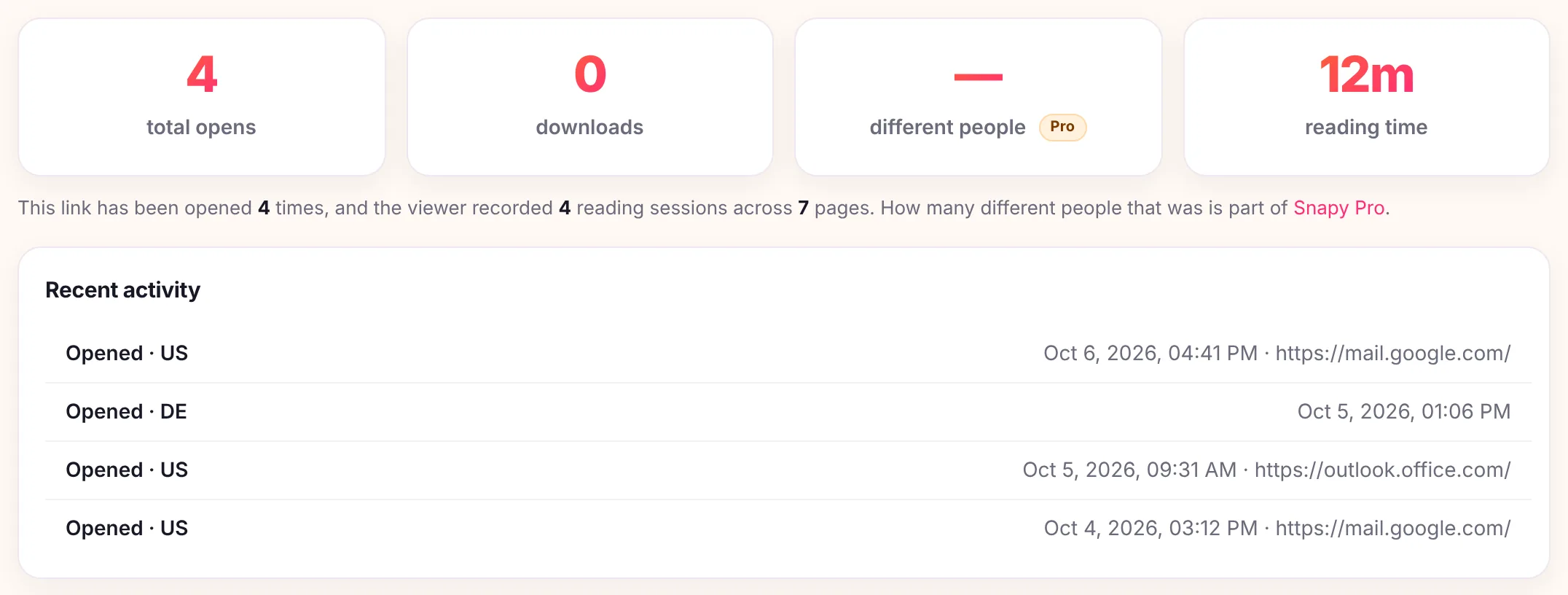
- Every open, with time, country, and referrer, counted separately from downloads.
- Total reading time on the document, as one running number.
- The opens-over-time chart, over 7, 14, 30, or 90 days.
- A first-open email alert, free, the first time the document is opened.
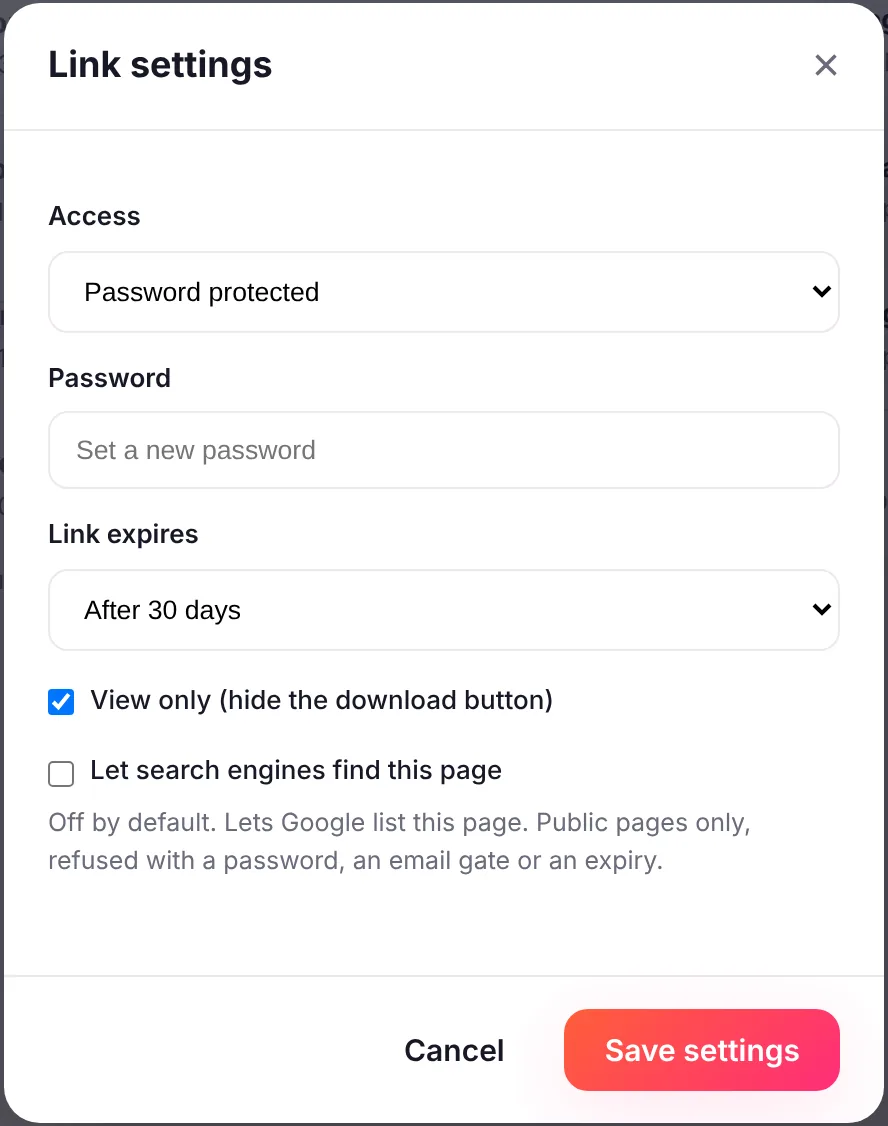
- Password, expiry date, view-only and a QR code, all free.
- One live link at a time, unlimited files on it, up to 400 in a bundle, 150MB per file.
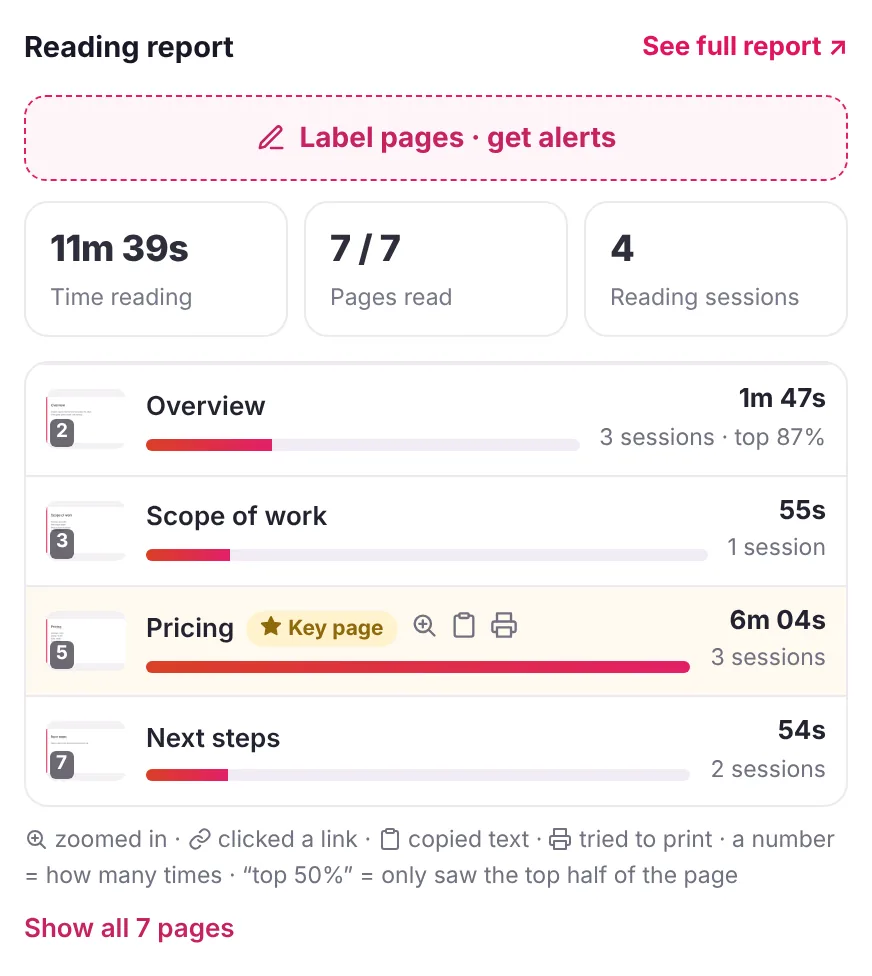
Snapy Pro adds what the free plan deliberately holds back: who opened it by name once the email gate is on, time spent on each page of a PDF, alerts on every open or a daily summary instead of just the first, unique-visitor counts, replacing the file behind a link, and a custom domain, for $9 a month in the US for one person. For a group, Snapy Team is $29 a month for 3 people, then $9 a month for each extra person, up to 10.
How it actually compares
| Snapy free | Snapy Pro | DocSend Personal | DocSend Advanced | |
|---|---|---|---|---|
| Price (monthly billing) | $0 | $9 a month | $15 a user a month | $250 a month, 3 users |
| Three people (monthly billing) | Not offered | Snapy Team: $29 a month | $45 a month | $250 a month |
| Live links | 1 at a time | No link cap (50 GB storage) | Not limited on the pricing page | Not limited on the pricing page |
| Open tracking | Opens, country, referrer | Same, plus unique visitors | Document-level analytics | Same, plus data room analytics |
| Open alerts | First open, by email | Every open or a daily summary | Real-time notifications | Real-time notifications |
| Who opened it | No names | Named, with the email gate | Individual visit dashboard | Individual visit dashboard |
| Time on each page | No, one total | PDFs, by page number | PDF, Office, Google and Keynote files | PDF, Office, Google and Keynote files |
| Password, expiry, view-only | Yes | Yes | Shared link access controls | Shared link access controls |
| Visitor email check | No | Yes, email gate | No | Yes |
| E-signature | No | No | 4 a month | Unlimited |
| Data rooms | No | No | No | Yes |
| NDA before viewing, watermarking | No | No | No | Yes |
| Largest file | 150MB | 150MB | 2 GB | 2 GB |
- Pricing shape, not just price. DocSend's entry plans charge per user, $15 to $65 a month each on monthly billing; Snapy Pro is $9 a month for one person, and Snapy Team is $29 a month for 3 people, then $9 for each extra person.
- No sign-up for the viewer. On Snapy a viewer only enters an email if the sender turned on the optional email gate (Snapy Pro); otherwise they click and read.
- The sender confirms a one-time code, not a password. The first time someone shares a file without being signed in, Snapy emails a code to that address to keep uploads free of spam. A verified address skips the code on the next upload.
Who should stay on DocSend
- You run fundraising or M&A data rooms. Folders, per-visitor permissions, audit logs and indexing are what DocSend's Advanced plans are built for, and Snapy has none of them.
- You need an NDA or a watermark before anyone reads. That is DocSend Advanced and up.
- You need signatures. Even DocSend Personal includes 4 e-signature requests a month; Snapy has no e-signature at all.
- A whole sales team shares content and reporting with admin roles, Salesforce or single sign-on.
- Your files are over 150MB. DocSend takes documents up to 2 GB.
If none of those apply and you send one deck or PDF at a time, a tracked link does the job.
What Snapy will not do
It will not build a multi-folder data room, run an e-signature workflow, ask for an NDA, or stamp a dynamic watermark across every page. It will not identify a reader by name unless the email gate is switched on, which is Snapy Pro. And it will not ask a viewer to sign up just to open the link.
How to use it
- Drop a deck, PDF, or document in the box above, up to 150MB.
- If you are signed out, confirm the one-time code Snapy emails you. That happens once.
- Share the link in an email or a message.
- Open the private analytics link to watch opens, downloads, and reading time roll in.
See the full breakdown of what each plan shows at document tracking, the per-page detail at which pages someone read, DocSend's plans in full at DocSend pricing, or jump straight to turning a PDF into a link.